
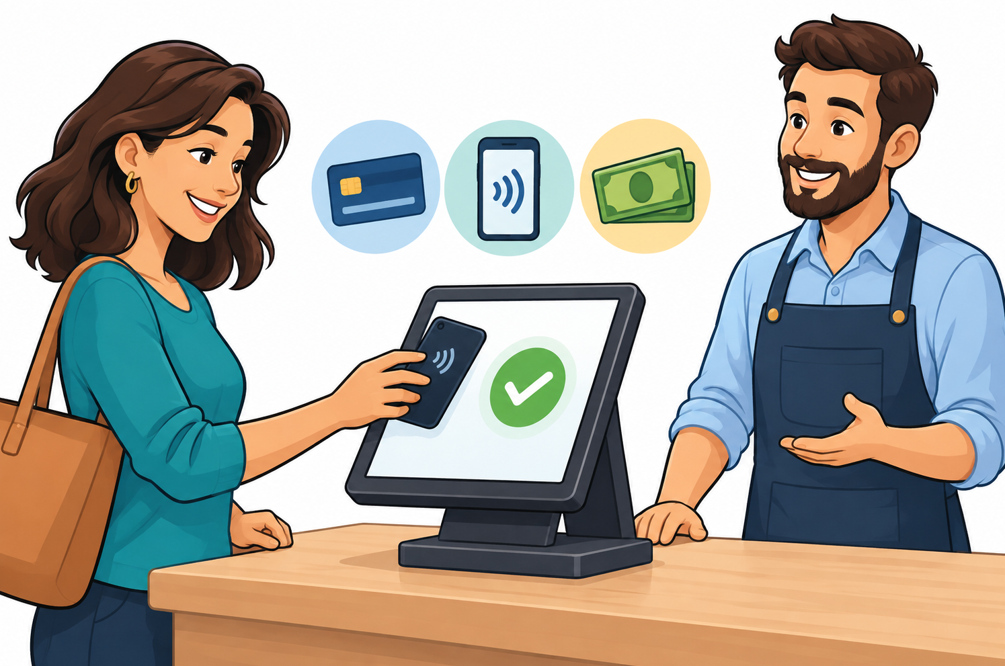
A customer finishes dinner and is ready to leave. The food was great, the service friendly. Now comes the awkward part: catch someone’s attention, ask for the check, hand over a card, and wait again.
Another customer gets a reminder about an expired card on a monthly membership. They’re happy to keep paying, but not to get a call at work to update a few payment details.
These are small inconveniences, but they happen exactly when a business should be making things easy. They also point to an opportunity: give customers more control over routine transactions, and employees can spend less time moving payments along.
So, how can merchants let customers do more for themselves while keeping service personal and payments simple? Let’s look at how to strike that balance, and what your payment provider should bring to the table.
Self Service: Think Shortcuts, Not Hurdles
A 2026 Global Payments report found that 83% of the merchants and leaders surveyed plan to significantly automate customer interactions through self-service platforms over the next two years.
That’s a major statement about how companies are investing, but not necessarily about whether customers will benefit from the change. The latter depends on what those platforms actually do.
Consider a customer who needs a receipt for an expense report. A searchable payment history with downloadable receipts solves the problem. A chatbot that explains how to call the billing department adds an annoying extra step.
The same idea applies to updating a card, paying an outstanding invoice, or changing a subscription. Customer portals can already support these tasks, depending on the platform and its configuration. The best ones know when to off-ramp from chatbot to human help.
Start with the requests your employees answer repeatedly. Those are good candidates for self-service, especially when the task follows clear rules. While companies love support bots, that’s where we feel the least love from customers. Just like you, your customers want human support when things break.
Sales From Beyond the Counter
Payment choice is as much about where a transaction happens as how.
Today, Repair technicians often offer payment at the customer’s home. Restaurants let diners pay at the table. More and more service businesses send payment links with an invoice, so the customer can settle it when they open the message. Mobile terminals, text-to-pay, and QR payment options make these approaches possible.
For the merchant, the important question is whether the transaction connects to the rest of the business. Does that invoice show as paid? Can staff find the receipt? If the customer calls tomorrow, can someone see what happened?
Moving payment away from the counter only helps if it doesn’t leave employees piecing the transaction back together afterward. Ask your provider to demonstrate the entire process, including the records it creates.
Keep a Human in the Loop
There’s a difference between enjoying self-service and wanting it for every situation.
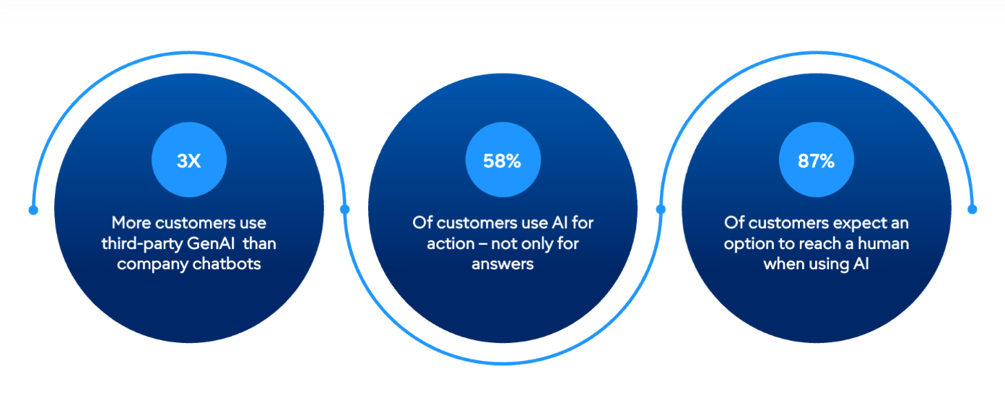
Customers use AI, but still want access to people
Source: Gartner State of the Customer Survey
Gartner’s 2026 survey of over 3,500 businesses and consumers found that customers expect access to a human agent when companies use AI in customer service. They’re using AI more and more, but they expect somebody on the other line if they need them.
It’s easy to imagine when they’d want one or the other. A quick online form to update an expired card is fine; different story if you’ve been charged twice and need someone to resolve the problem.
Our philosophy is to design for both. A kiosk should make it obvious how to request assistance. A billing portal should provide a clear support route. When an employee takes over, give them access to the relevant payment history so the customer doesn’t have to start from scratch.
Personal service can also mean helping someone use a new option the first time. A server explaining pay-at-table, then staying available for questions, can make the experience easier without feeling impersonal.
More Options Should Still Feel Simple
Nobody wants a checkout screen that looks like an airplane cockpit.
The right mix depends on your customers and your business. A busy lunch counter might prioritize contactless cards to offload the checkout counter. A contractor might get more value from invoices with payment links. A subscription business might focus on account management, clear billing notices, and payment info updates.
Keep the familiar options easy to find. A customer shouldn’t have to download an app just to complete an occasional purchase, or use a smartphone to get help at the register.
Clarity matters just as much as speed. Show the amount being paid, explain any recurring commitment, and provide confirmation. For returns, distinguish between submitting a request, receiving approval, and getting the money back. Those are different stages, and a customer should clearly see which one they’re on.
What to Ask Your Payment Provider
Before adding another device or subscription, ask your provider a few practical questions:
What can our existing system already do? You may have useful features that were never explained. If not, you’re leaving money on the table.
Will the records stay connected? Ask how payments, invoices, refunds, and customer accounts work together. Have the provider walk through a sale followed by a return, including what staff see at each step.
What does the added convenience cost? Compare software charges, equipment, integration work, and processing costs. Include the time employees will spend managing the system.
What happens when something fails? Test an expired link, a declined card, and a customer who needs assistance. Find out who supports each part of the process.
If your payment provider isn’t able to walk you through these questions, or the answers aren’t up to snuff, it’s time to go shopping.
COCARD: Put Your Payments to Work
Giving customers more control starts with understanding how they already do business with you. Where do they wait? What do they call about? Which payment steps could they comfortably handle themselves?
COCARD offers processing solutions, payment gateways, and POS systems, with options including mobile and contactless payments, online ordering, text-to-pay, and QR code payments.
You don’t have to change everything at once. We can help you explore which tools fit your operation and what connecting them will involve.
And yes, we make sure our merchants always have access to a (human) expert, no matter what they need.
Get in touch today to explore payment options that give your customers more control and your staff more time to serve them.